As a lift company, you pay LiftSync for the gateways at your customers' properties, and you may charge your customers for them too. LiftSync shows both side by side, so you can check your margin, and keeps the invoices it has sent you in one place.
Compare what you charge with what LiftSync charges
- Select Billing in the sidebar.
- Select the Compare with Liftsync tab.
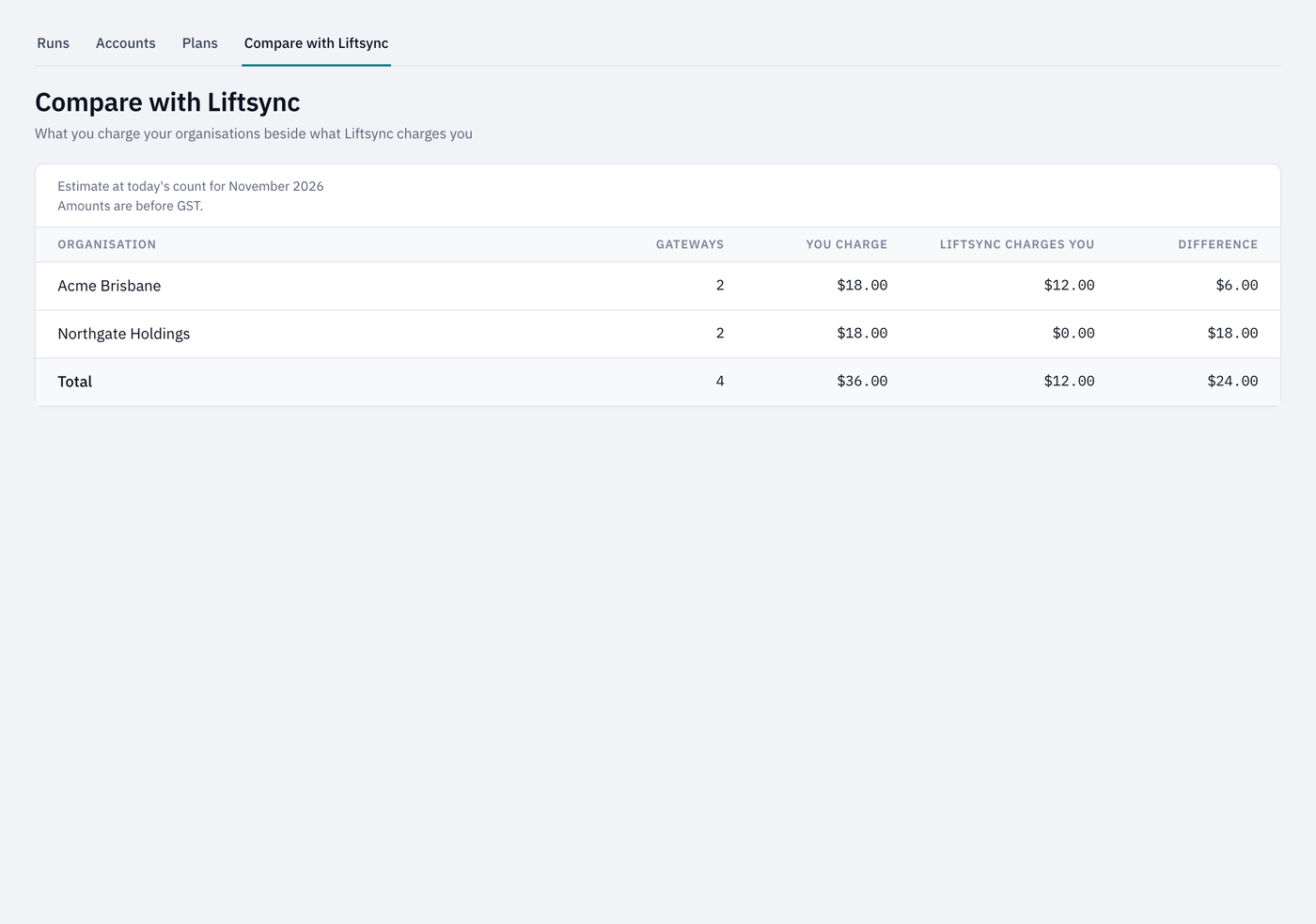
Each customer organisation has one row:
| Column | What it shows |
|---|---|
| Gateways | How many of its gateways are counted today. |
| You charge | What your plans charge it for a month. |
| Liftsync charges you | What LiftSync charges your lift company for the same gateways. |
| Difference | What you charge, less what LiftSync charges you. |
The figures are an estimate for the next month to be billed, worked out from today's count of gateways, before GST. The real invoices are worked out on the count day, so they can differ if gateways are added or removed before then.
A customer whose gateways LiftSync doesn't charge you for shows $0.00 under Liftsync charges you.
See what LiftSync has charged you
- Select Settings in the sidebar, then the Reseller tab.
- Select the Charges from Liftsync tab.
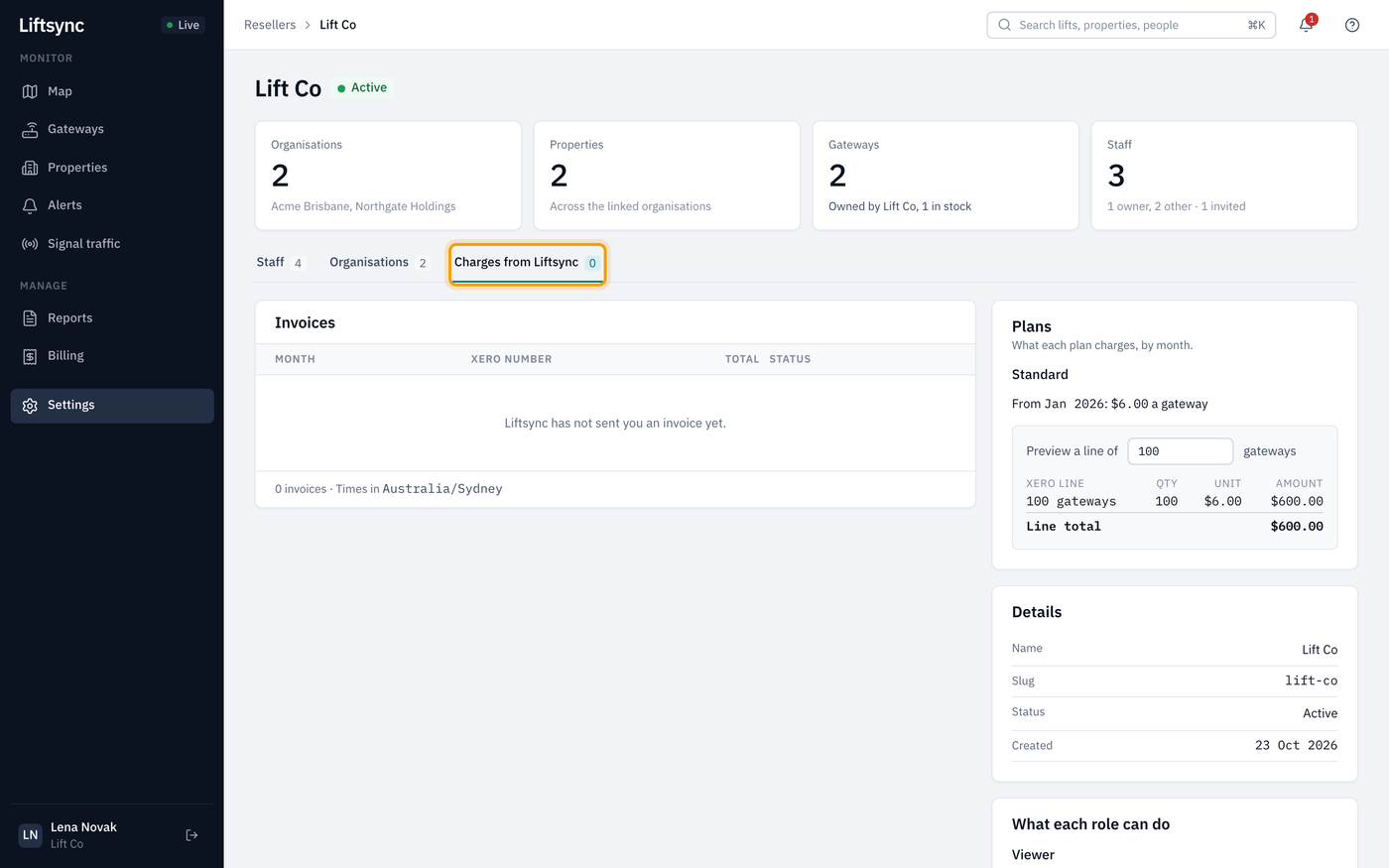
- Invoices lists each invoice LiftSync has sent your lift company, by month, with its Xero number, total and status. Select one to see its lines, the number of gateways on each and the total with GST. Gateways at organisations you can't see are grouped as Other organisations.
- Plans shows the plans LiftSync bills you on and their price from each month. Type a number of gateways under Preview a line of to see what that many would cost.
Until LiftSync sends you an invoice, the list says Liftsync has not sent you an invoice yet.