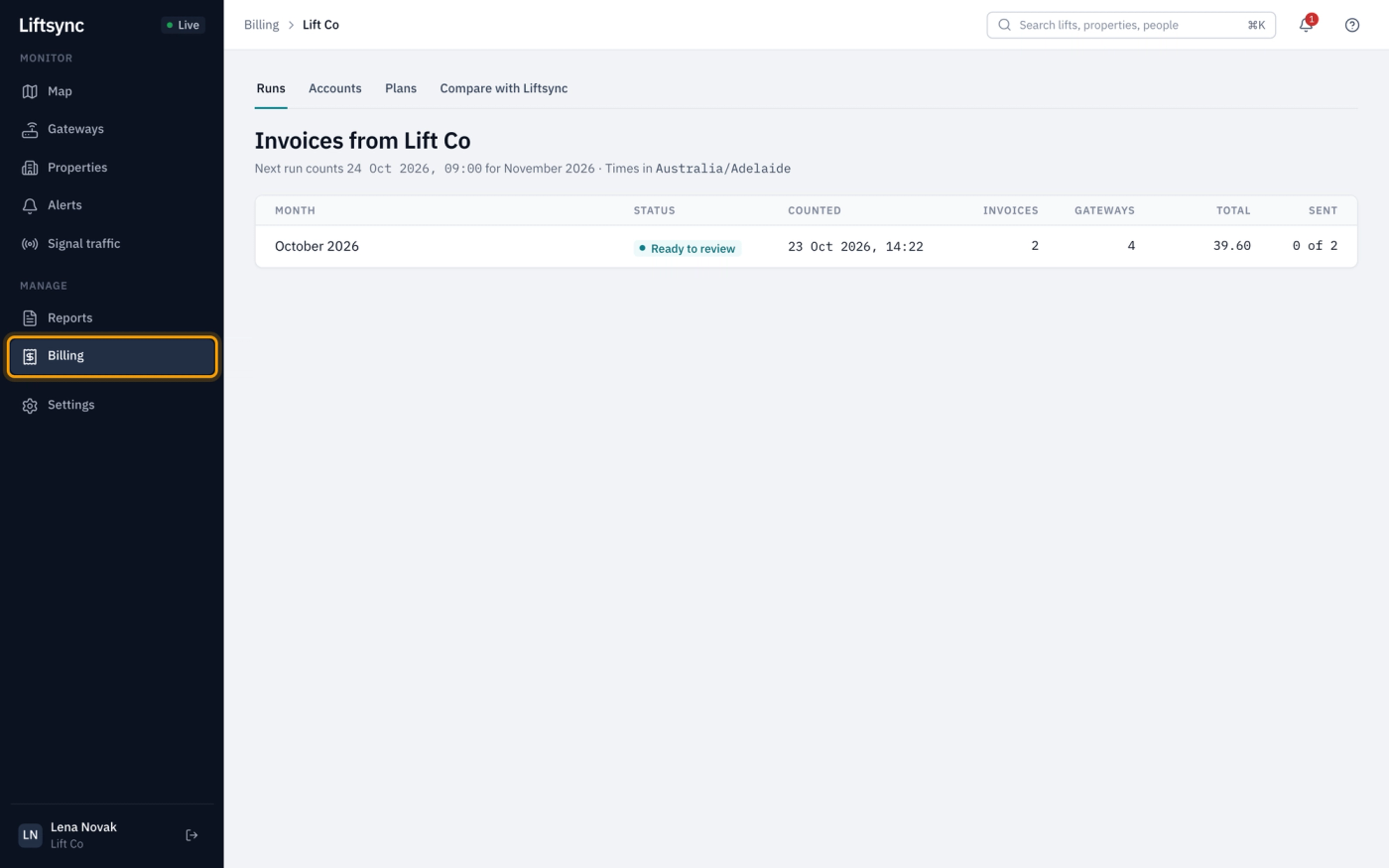
You can also compare what you charge each customer with what LiftSync charges you, and see LiftSync's invoices to you on your lift company's page. To have billing switched on, contact LiftSync.
Changes to Liftsync
New features and improvements in the Liftsync portal, newest first, with the guides that explain them.
Once LiftSync switches it on, lift company owners and admins get a Billing section. Each month LiftSync counts each customer's gateways, prices them with your plans and creates the invoices in your own Xero, ready for you to check and send.
You can also compare what you charge each customer with what LiftSync charges you, and see LiftSync's invoices to you on your lift company's page. To have billing switched on, contact LiftSync.
Lift company owners and admins can add a brand-new customer from Settings › Organisations. Choose New customer of your lift company as the parent, and everyone on your staff can reach it straight away.
Your customers now see your lift company's name, not the name of the person, when someone from your lift company acknowledges or resolves one of their alerts.
Lift company owners and admins can now invite staff, change their role and remove them from Settings › Reseller, without asking LiftSync. You can't give anyone a role above your own.
When a lift is taken out for good, archive it from its edit window. It leaves the map and Properties, and if its gateway serves no other lift, LiftSync stops monitoring that gateway. You can restore the lift at any time.
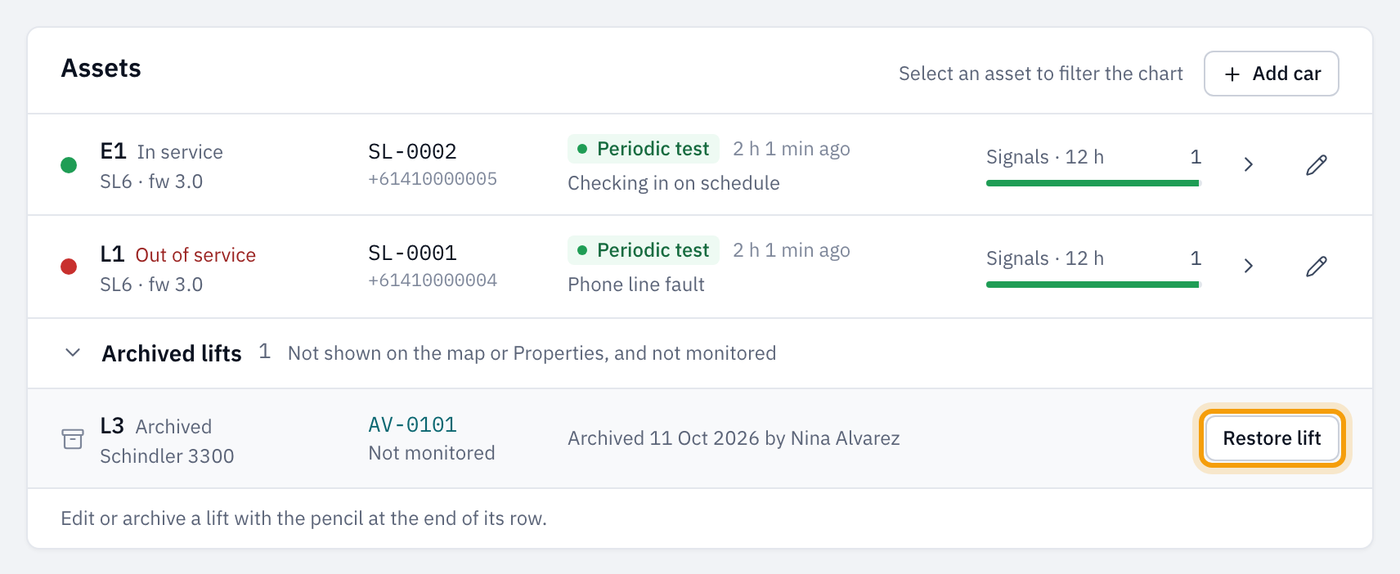
Archived lifts are listed under Archived lifts on the property's page, for owners and admins.
The Install gateway window now lets you search your stock, and if the gateway isn't in stock, add it and fit it to the lift in one step. Operators can do this too.
Admins can now add organisations and change an organisation's details, as owners can. Moving and archiving organisations stays with owners.
The Commands tab now describes each command in plain words instead of showing the raw text sent to the gateway. If a command can't be sent, the confirmation stays open and tells you why.
When you give access to someone who already uses LiftSync, they now get an invitation link to accept, the same as someone new. They sign in with their existing account and accept it. Until they do, they don't get the access.
If something you save in a window can't go through, the reason now shows in red above the buttons, and the window stays open so you can fix it and try again. Before, it closed and showed a message in the corner of the screen.
A new Reports page in the sidebar gives you four reports: the signal traffic log, signal activity, device status and battery levels. Each one can be downloaded as a PDF or a spreadsheet (CSV).
Every role can run reports for the organisations they can already see.