LiftSync has two reports about signals. A signal is one report from a lift's gateway, the device that connects the emergency call button to the call centre. Signals include emergency calls, power and battery reports, and the gateway's regular check-in.
- The Signal traffic log lists every signal, one per line.
- Signal activity counts the signals from each property, so you can compare buildings at a glance.
To open them, and to choose the organisation and period, see Run a report and download it.
Signal traffic log
The Signal traffic log lists every signal your lifts' gateways sent in the period, newest first. It includes everything, even the routine check-ins.
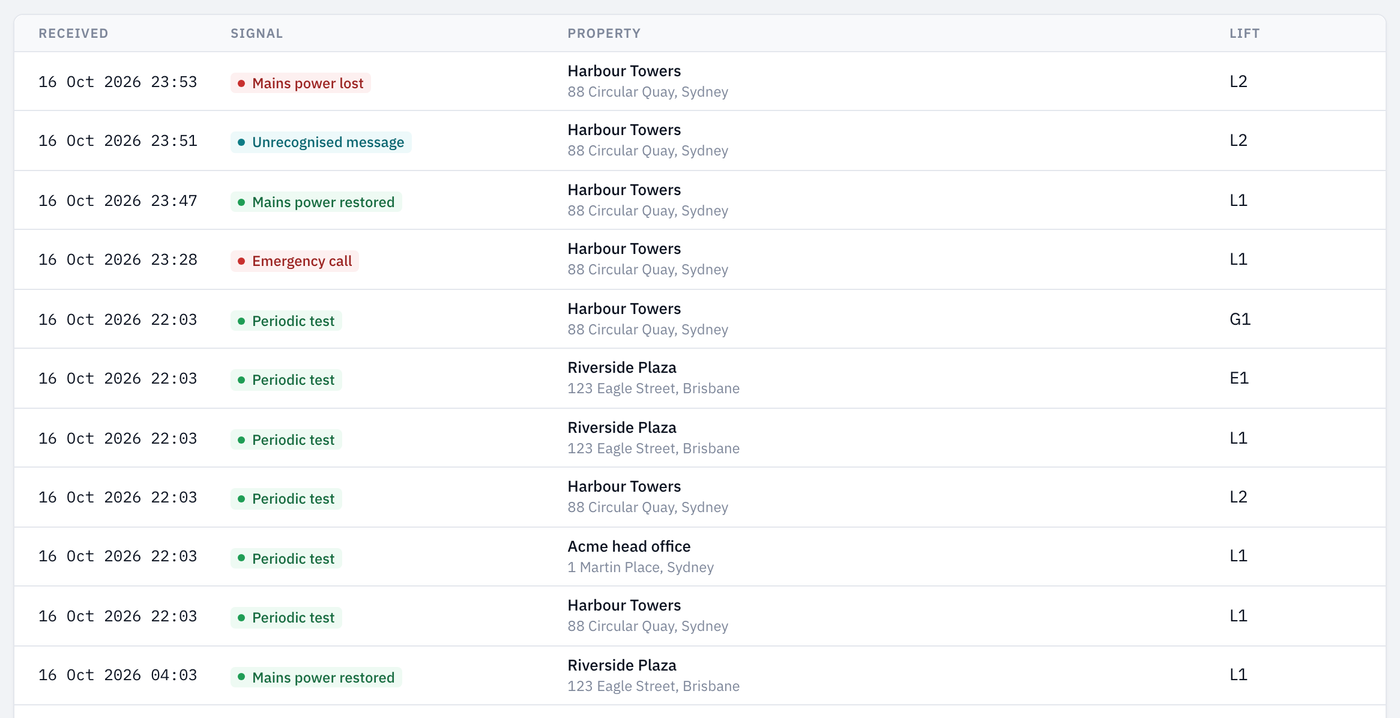
Each line shows:
- Received: when LiftSync received it.
- Signal: what kind of signal it was, for example Periodic test (the regular check-in) or Mains power lost. Signals about a problem are shown in red.
- Property: the building, with its address beneath.
- Lift: the lift or lifts the gateway was fitted to at the time.
The screen shows 100 signals at a time. Use Older and Newer at the bottom to see more. The PDF and CSV downloads hold every signal in the period.
Signal activity
Signal activity shows how many of each kind of signal every property sent in the period. It's a quick way to spot a building that's having more power cuts than the rest, or one whose gateways are checking in less often than expected.
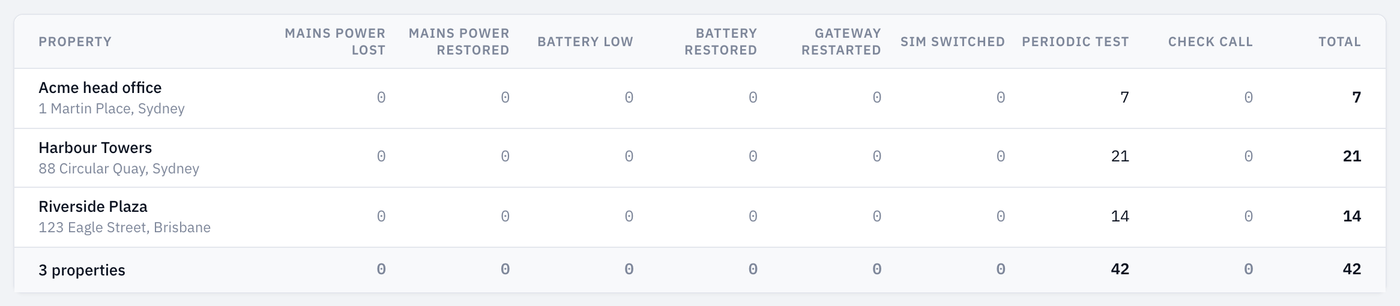
- Each row is a property. Properties that sent nothing in the period are still listed, with zeros.
- Each column counts one kind of signal, such as Mains power lost, Battery low or Periodic test. Total adds up the columns shown.
- The last row adds up every property.