When a lift's emergency call equipment has a problem, such as a phone line fault or a loss of mains power, LiftSync raises an alert. It also records an alert each time someone presses the emergency button. The Alerts page lists every alert for the properties you have access to, so you can see what needs attention and whether someone is already dealing with it.
Open the Alerts page
Select Alerts in the sidebar. You can also select the bell at the top right of any page. A red number on the bell shows how many alerts nobody has acknowledged yet.
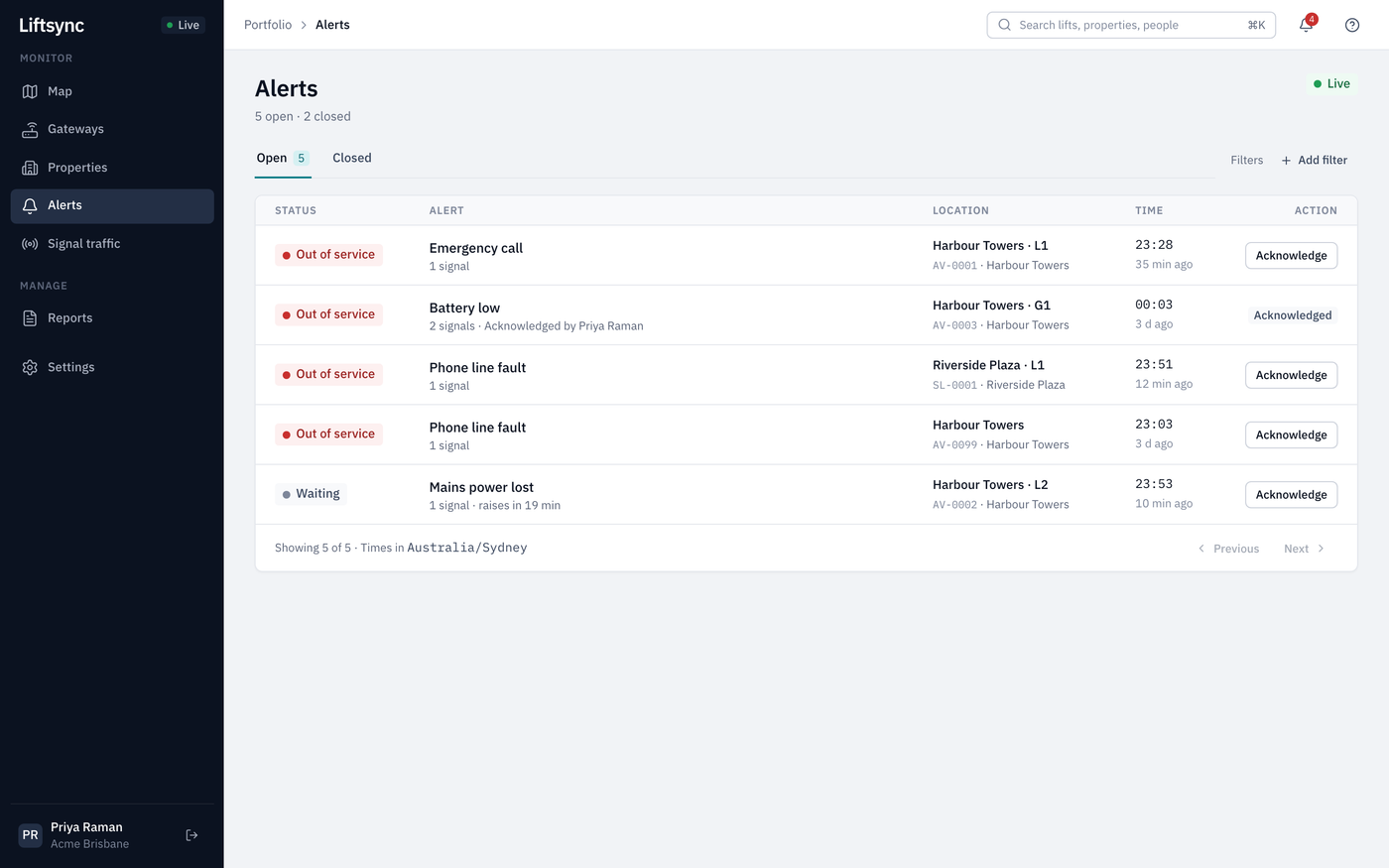
The page has two tabs:
- Open lists alerts that are still going. The number next to it is how many there are. The most important alerts are at the top.
- Closed lists alerts that have been resolved, newest first.
Read an alert
Each row tells you:
| Column | What it shows |
|---|---|
| Status | The state of the lift's emergency call equipment, such as Out of service |
| Alert | What happened, how many times the gateway reported it, and who has acknowledged it |
| Location | The property and lift |
| Time | When it started, and how long ago |
| Action | An Acknowledge button, or Acknowledged if someone has already picked it up |
Select the name of an alert, such as Phone line fault, to open it and see its full history. See Acknowledge and resolve an alert.
What the alerts mean
Every alert comes from the lift's gateway: the device that connects the lift's emergency call button to the call centre. Alerts are about the emergency call equipment, not the lift itself. LiftSync can't tell whether a lift is running.
| Alert | What it means |
|---|---|
| Emergency call | Someone pressed the emergency button in the lift. LiftSync records that the call happened. The call itself goes to the call centre. |
| Phone line fault | The gateway can't connect to the phone network, so an emergency call may not get through. |
| Mains power lost | The gateway has lost mains power and is running on its backup battery. |
| Battery low | The gateway's backup battery is running low. If the power goes, the emergency phone may stop working. |
| Tamper | Someone has opened or interfered with the gateway. |
| Periodic test overdue | The gateway hasn't sent its regular "I'm OK" message (its check-in) when expected, so LiftSync can't be sure the emergency phone is working. The lift shows Offline. |
| Excessive … signals | The gateway is sending far more of one kind of report than normal, for example Excessive Mains power lost signals. This usually means a problem with the gateway. |
Some problems close by themselves. For example, a Mains power lost alert is resolved when the power comes back on, and the Closed tab shows Mains power restored.
Some alerts start as Waiting. LiftSync waits a short time before raising them, in case the problem fixes itself, such as a short power cut. The row shows how long until the alert is raised.
Narrow the list
- Select Add filter.
- Choose what to filter by: Organisation, Property, Incident type or Status.
- Start typing, then select the one you want.
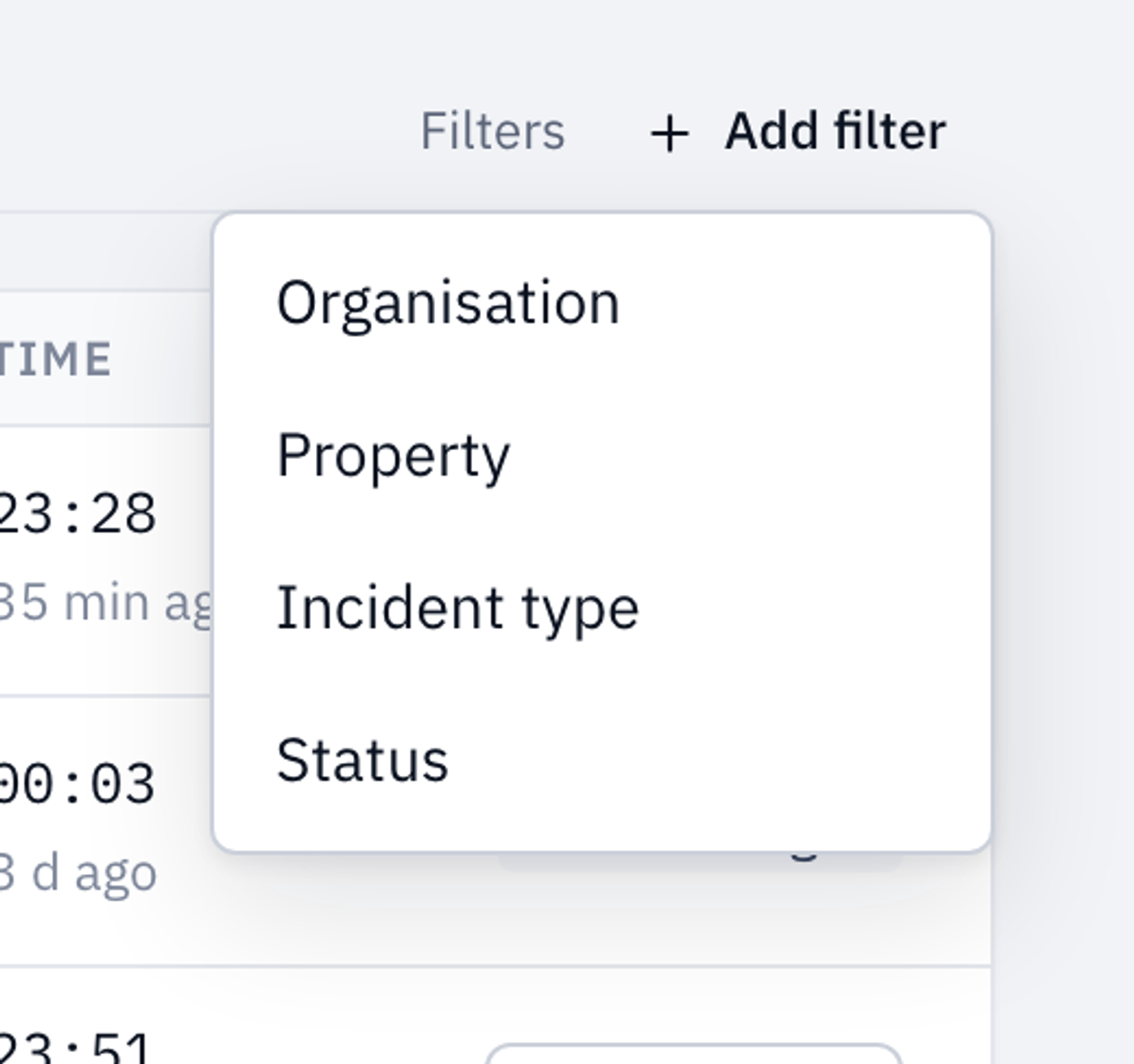
The filters you've chosen appear next to Filters. Select the × on a filter to remove it. You can add more than one filter. Organisation only appears if you have access to more than one organisation.
Look back at closed alerts
Select the Closed tab to see alerts that are over. Each row shows how the alert was resolved, any note left by the person who resolved it, and who that was. The time is when it was resolved.
