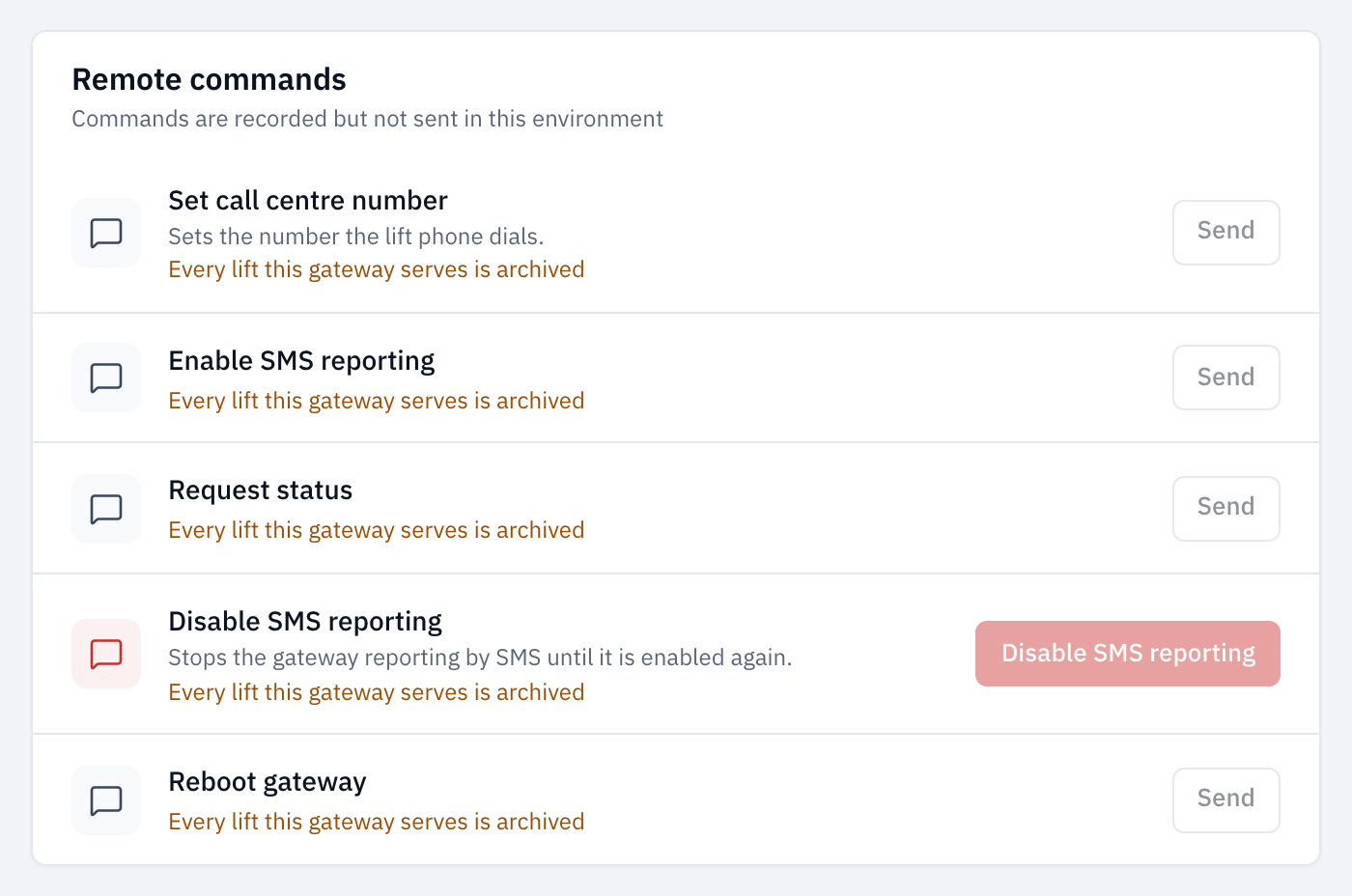
You can send some instructions to a lift's gateway from LiftSync, for example to ask it how it is, or to restart it. A gateway is the device in a lift that connects the emergency call button to help and reports to LiftSync. Commands go to the gateway, not to the lift: they can't move, stop or reset the lift itself.
Send a command
- Select Gateways in the sidebar and open the gateway.
- Select the Commands tab.
Remote commands lists what you can send to this gateway, each with a short description of what it does. The list depends on the gateway's make and model, and some models have none.
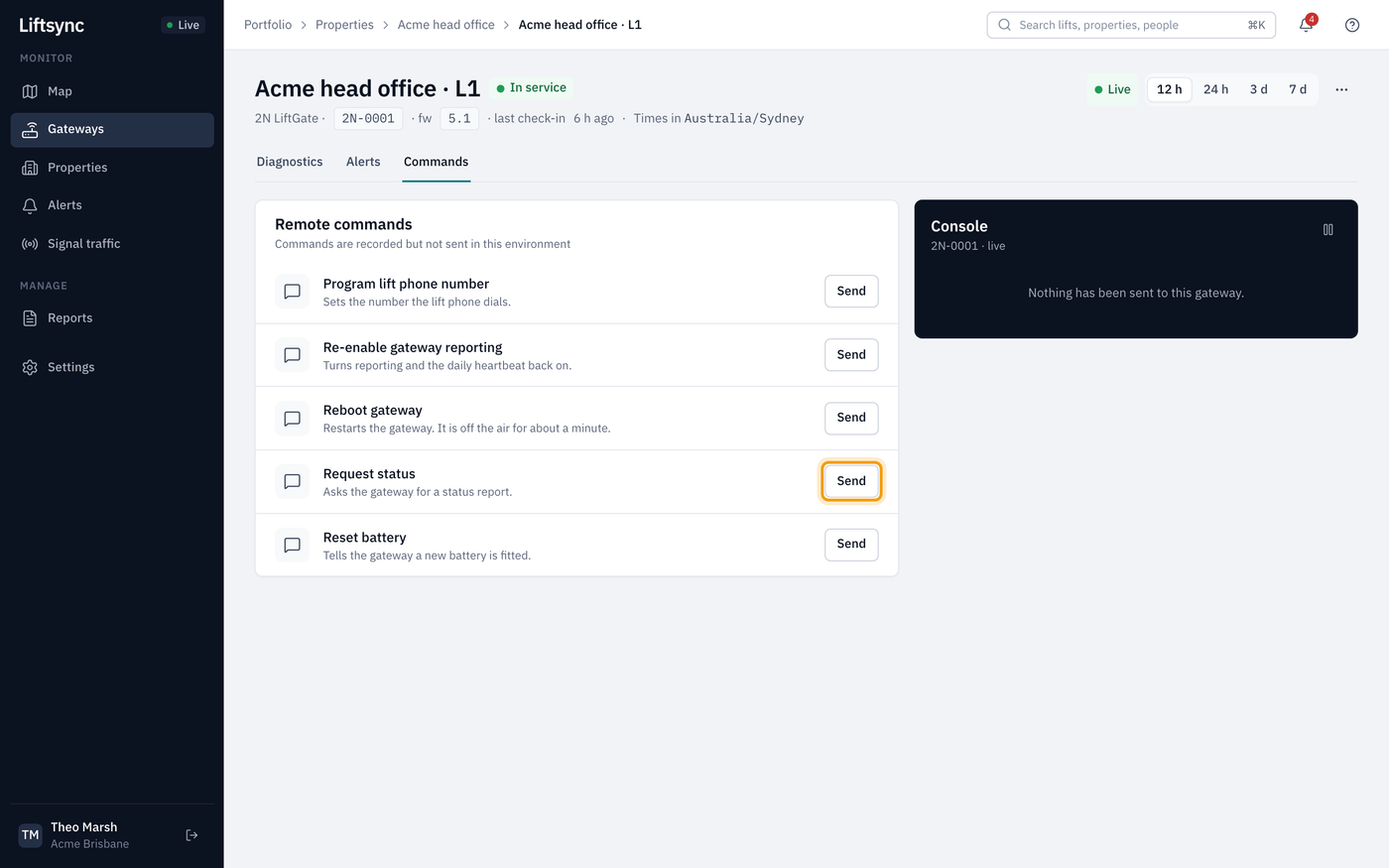
- Select Send next to the command.
- Check the question names the right lift and says what the command does, then select the command's name to send it, for example Reboot gateway.
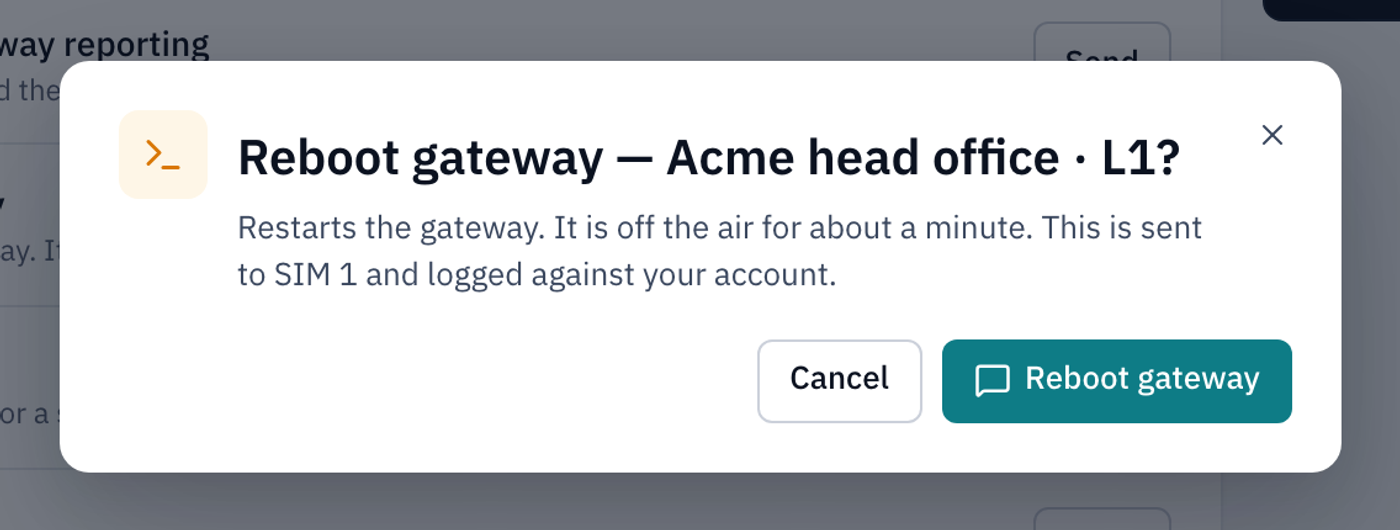
To change your mind, select Cancel. Every command you send is recorded with your name.
If LiftSync can't send the command, the question stays open and says why in red above the buttons. Fix the problem and try again, or select Cancel.
Commands you might use
The names below are examples. Your gateways may show different ones, with a description under each name.
| Command | What it does | When to use it |
|---|---|---|
| Request status | Asks the gateway to send a status report | To check a gateway is reachable and get a fresh reading, for example after LiftSync says it's Offline |
| Reboot gateway | Restarts the gateway | When your lift company asks you to, for example if the gateway has stopped responding |
| Set call centre number or Program lift phone number | Sets the number the lift's emergency phone dials, using the Callcentre number saved for the gateway | After you change the call centre number in Edit gateway |
| Reset battery | Tells the gateway a new backup battery has been fitted | After a technician replaces the battery |
| Enable SMS reporting or Re-enable gateway reporting | Turns the gateway's reporting to LiftSync back on | If the gateway's SMS reporting shows Disabled |
| Disable SMS reporting | Stops the gateway reporting to LiftSync | Only when your lift company asks you to |
Check whether a command worked
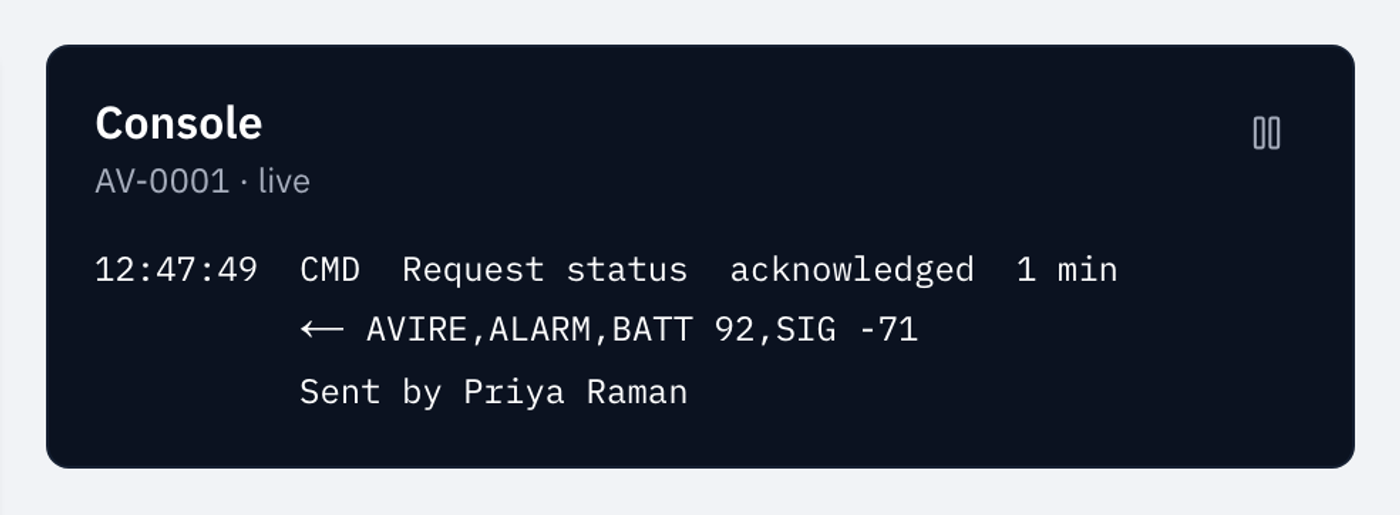
The Console beside the commands shows what has been sent to this gateway, newest first. Each line shows the time it was sent, the command's name, how it's going and, once the gateway has answered, how long it took. Underneath are the gateway's reply and who sent it. The reply is in the gateway's own shorthand, and you don't need to read it.
| Word on the line | What it means |
|---|---|
| queued | Waiting to go. Only one command goes to a gateway at a time |
| sent | Sent to the gateway; waiting for its answer |
| acknowledged | The gateway answered, so the command worked. Its reply is shown underneath, after an arrow |
| failed | The command didn't work. The reason is shown underneath |
| no answer | The gateway didn't answer in time. Check it has power and a signal, then try again |
| cancelled | Someone cancelled it before it was sent |
If you're still on the page when a command you sent finishes, a message pops up in the corner: Command acknowledged, or Command failed with the reason.
To stop a command that's still queued, select Cancel command on its line.
The console updates by itself. To stop it moving while you read it, select the pause button at the top of the console; select it again to carry on.
If you can't send a command
A Send button is greyed out when the gateway is missing something the command needs. The reason is shown in orange under the command, for example No call-centre number recorded.
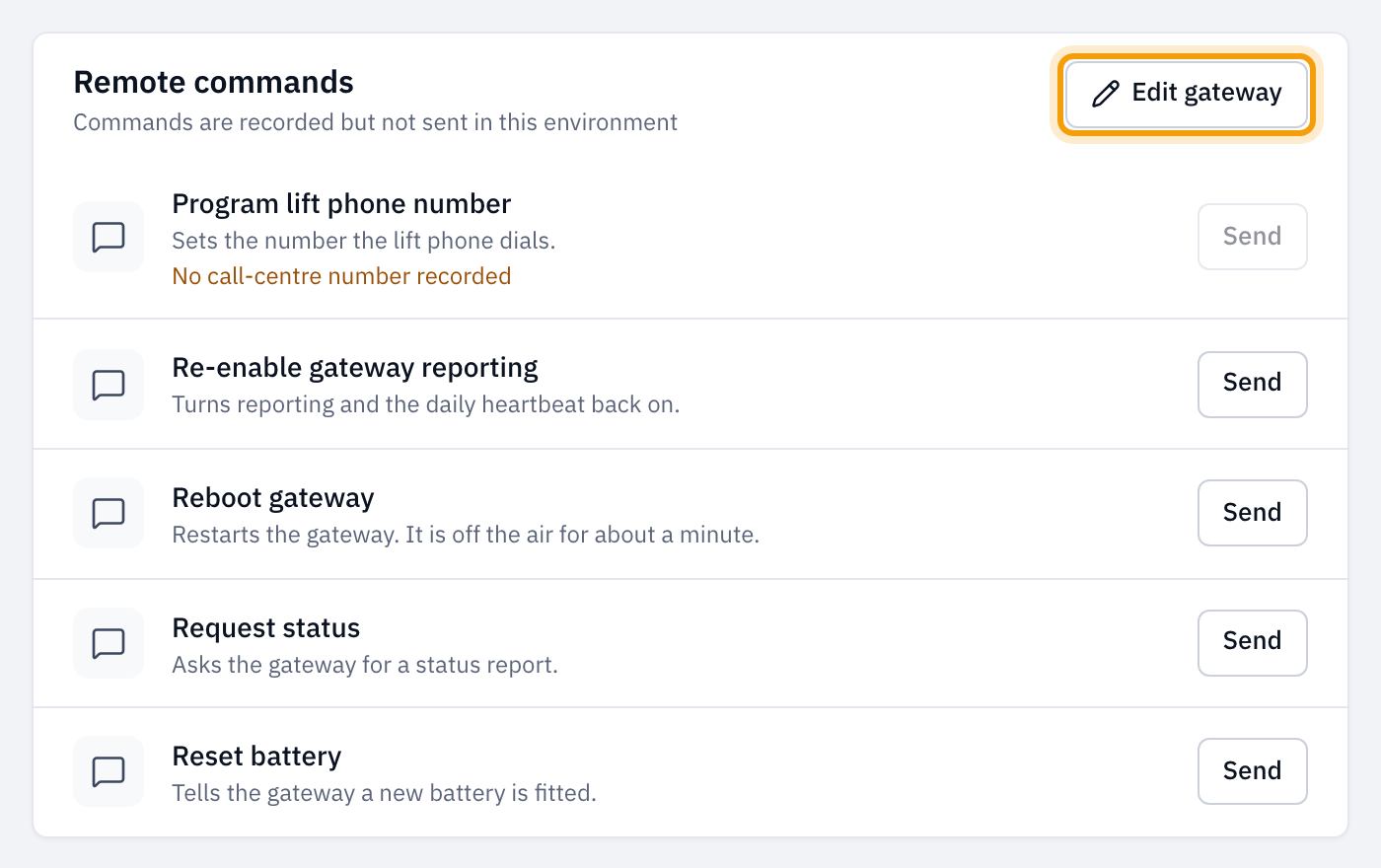
- No call-centre number recorded, No SMS password recorded or No lift-phone password recorded: select Edit gateway in the Remote commands card and add it. See Change a gateway's details. If you can't edit gateways, ask an owner or admin.
- No SIM number: the gateway needs a phone number before it can be sent anything. See Change a gateway's phone numbers.
- Every lift this gateway serves is archived: LiftSync isn't monitoring the gateway, so it can't send it anything. Restore the lift, or move the gateway to another lift. See Archive a lift.