LiftSync keeps watch over the emergency call equipment in the lifts in your buildings, day and night. Each lift has a gateway: the device that connects the lift's emergency call button to the call centre. LiftSync tells you when the emergency phone in a lift may not work, records each emergency call, and keeps a history of what each gateway has reported.
LiftSync doesn't monitor the lift itself. It can't tell you whether a lift is running, stuck or broken.
If you're used to the word "elevator", it means the same thing: LiftSync calls them lifts.
What LiftSync does for you
- Shows every building on one screen. You can see at a glance which properties have a lift whose emergency call equipment needs attention.
- Tells you when the emergency call equipment has a problem. For example, when a lift's phone line goes down, or its gateway loses mains power and runs on its backup battery.
- Records emergency calls. When someone presses the emergency button, the call goes to the call centre. LiftSync records that it happened.
- Lets your team keep track. People with the right access can mark a problem as being looked after, and close it once the equipment is sorted.
- Keeps a record. You can look back over what a lift's gateway has reported to see what happened and when.
Words you'll see
You only need a few words to find your way around.
| Word | What it means |
|---|---|
| Organisation | The account your properties belong to, usually your company. A large organisation can be split into smaller ones, for example one per city or per building. |
| Property | A building or site, such as an office tower or a shopping centre. |
| Lift | One lift in a property. A property can have several. |
| Gateway | The device in a lift that connects the emergency call button to the call centre, and tells LiftSync whether it's working. |
| Alert | Something LiftSync has picked up from a lift's gateway. Most alerts are a problem with the emergency call equipment that someone may need to act on, such as a phone line fault. An Emergency call alert is a record that someone pressed the emergency button. |
What you see when you sign in
When you sign in, LiftSync opens the Map. Each pin is a property, and its colour shows the state of the emergency call equipment in its lifts. Red means the equipment in at least one lift there has a fault and may not work.
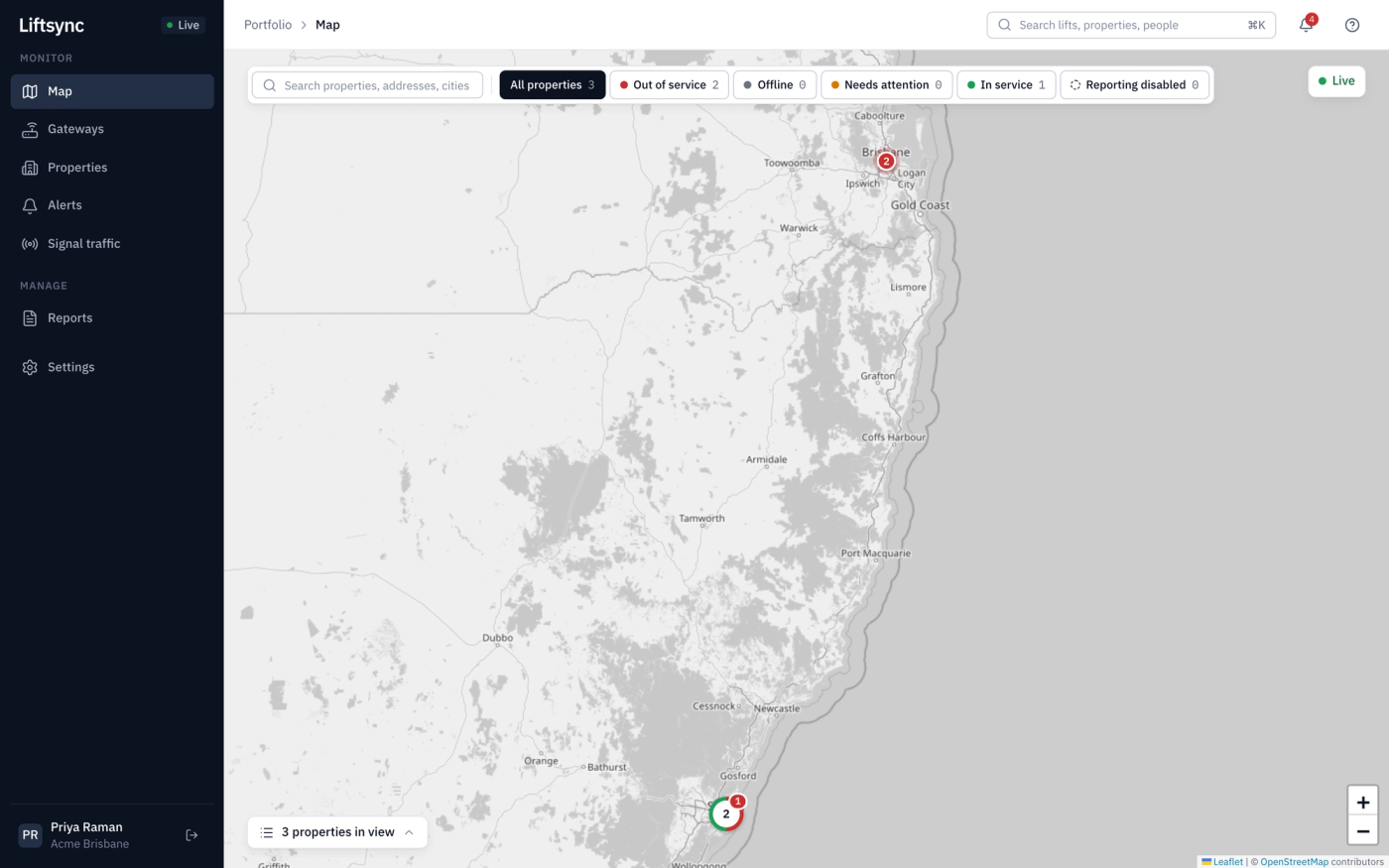
From here you can open a property, check your alerts, or search for a lift by name. Find your way around explains each part of the screen.